
当前位置:首页 > 科学研究 > 电子编程 > 正文内容

Arduino Project 007 - Pulsating Lamp

RonWang2年前 (2024-07-02)电子编程768

You are now going try a more advanced method of controlling LEDs. So far, you have simply turned the LED on or off. Would you like to adjust the brightness of an LED? Can you do that with an Arduino? Yes, you can. Time to go back to basics.

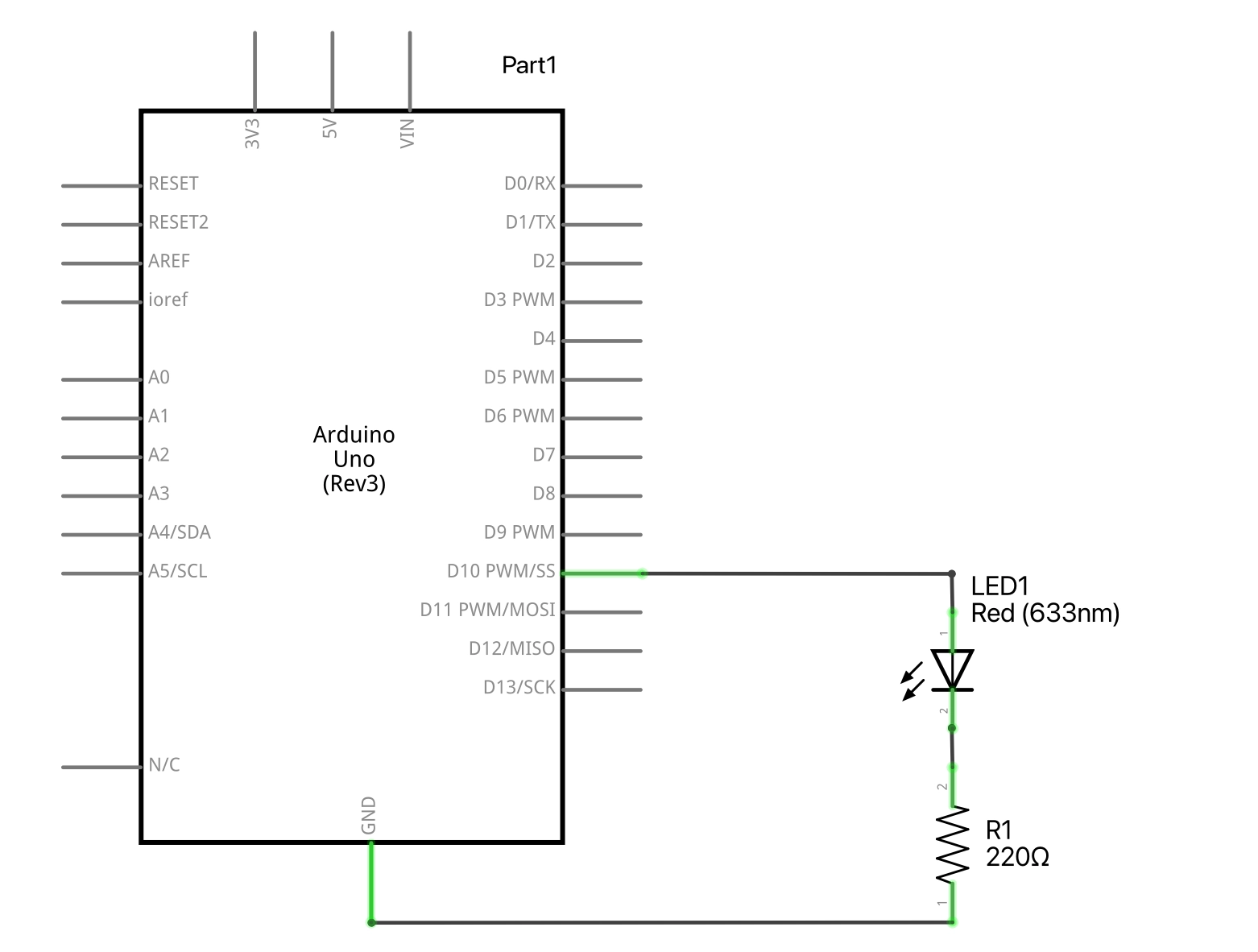
项目7 调节LED灯的亮度Project 7 - Pulsating lamp
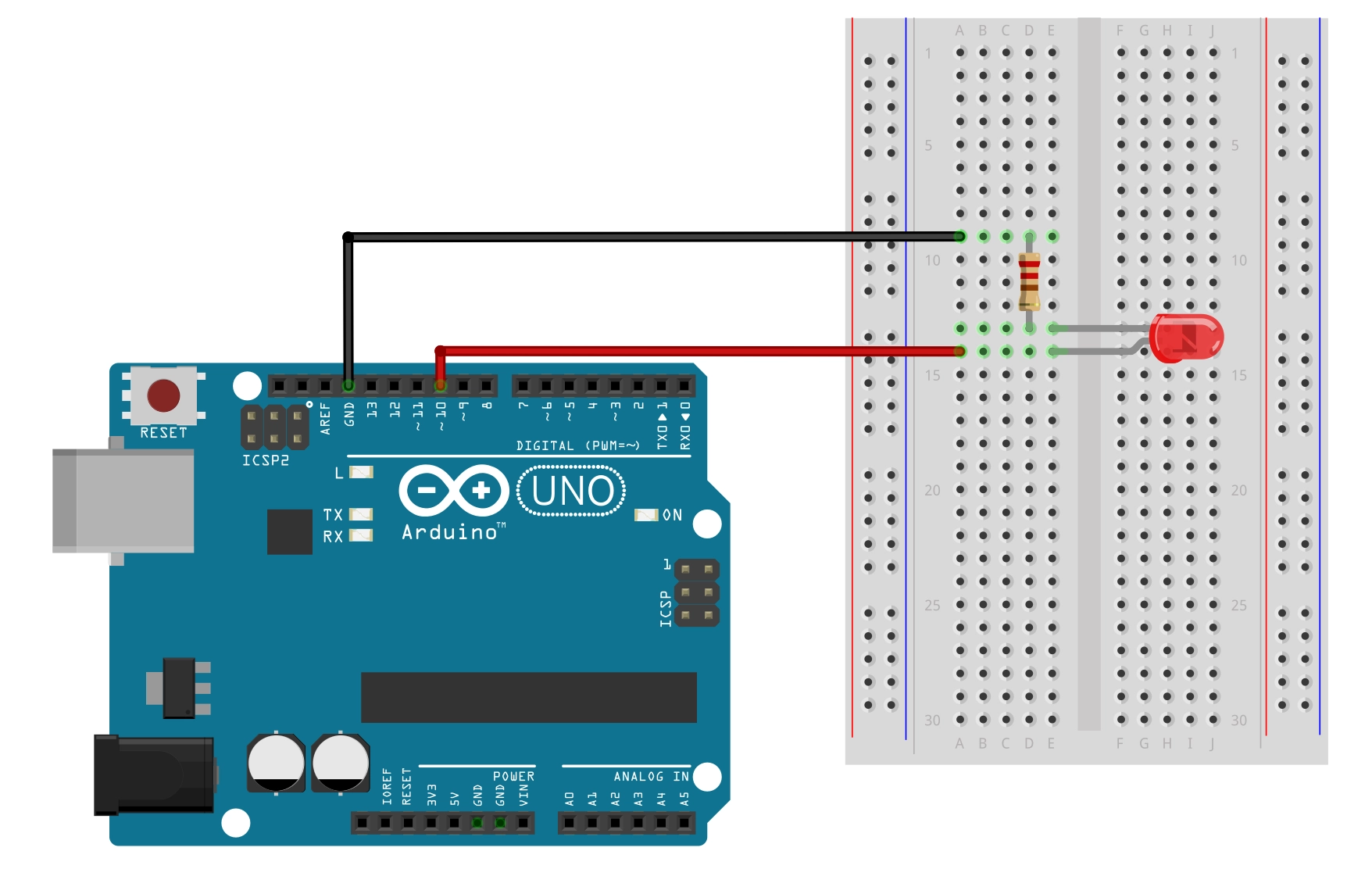
001 LED Blink Circuit

/* Coding Ron Wang
   July 2nd 2024
   Autaba support for coding hardware
 */
// Project 7 - Pulsating lamp
int ledPin = 10;
float sinVal;
int ledVal;
void setup() {
 pinMode(ledPin, OUTPUT);
}
void loop() {
 for (int x=0; x<180; x++) {
 // convert degrees to radians then obtain sin value
 sinVal = (sin(x*(3.1412/180)));
 ledVal = int(sinVal*255);
 analogWrite(ledPin, ledVal);
 delay(25);
 }
}

版权声明:本文为原创文章,版权归donstudio所有,欢迎分享本文,转载请保留出处!
本文链接:http://www.autabarc.com/?id=257

标签: Arduino

相关文章

Arduino Project 027 - Joystick Servo Control

Arduino Project 027 - Joystick Servo Control

In this tutorial, we are going to learn how to use Arduino and a joystick to control two servo motor...

Arduino Project 031 - Digital Pressure Sensor

Arduino Project 031 - Digital Pressure Sensor

Arduino Programming Basic -- Pressure SensorsProject 31 – Digital Pressure Sensor// Ardunio&nbs...

Arduino Project 008 - RGB LED Mood Lamp

Arduino Project 008 - RGB LED Mood Lamp

In the last project, you learned how to adjust the brightness of an LED using the PWM capabilities o...

 ​Arduino Project 048 - Human Body Infrared Detector and Relay Light

​Arduino Project 048 - Human Body Infrared Detector and Relay Light

Project 48 Human Body Infrared Detector and Relay Light/*  * Coding by Ronwang&...

Arduino Project 034 - TM1637 4Digital 7Segment Display Module

Arduino Project 034 - TM1637 4Digital 7Segment Display Module

A standard 4-digit 7-segment display is needed for clock, timer and counter projects, but it usually...