
DIY - Monochrome Light Cube Maker Introduction Step by Step
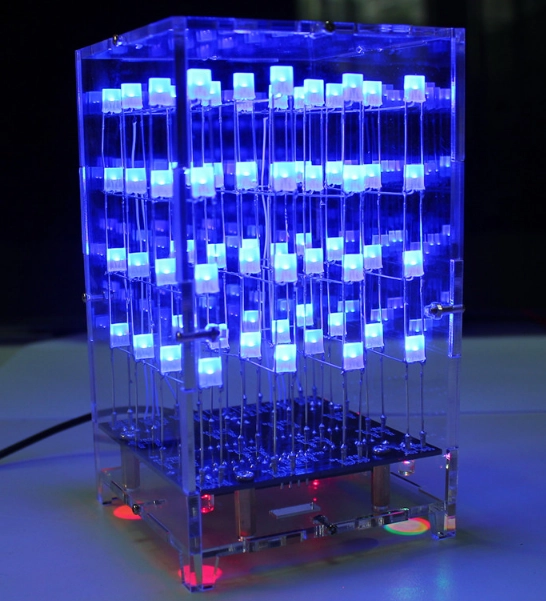
First, let's take a look at the complete welded diagram (the shell needs to be purchased separately) to get an overall idea. The entire welding process takes a long time and requires some welding skills. You must be careful, especially when welding LED lights, as the welding time should not be too long (be sure to prevent static electricity during welding, and keep the welding time within 3 seconds to prevent damage to the LED lights).
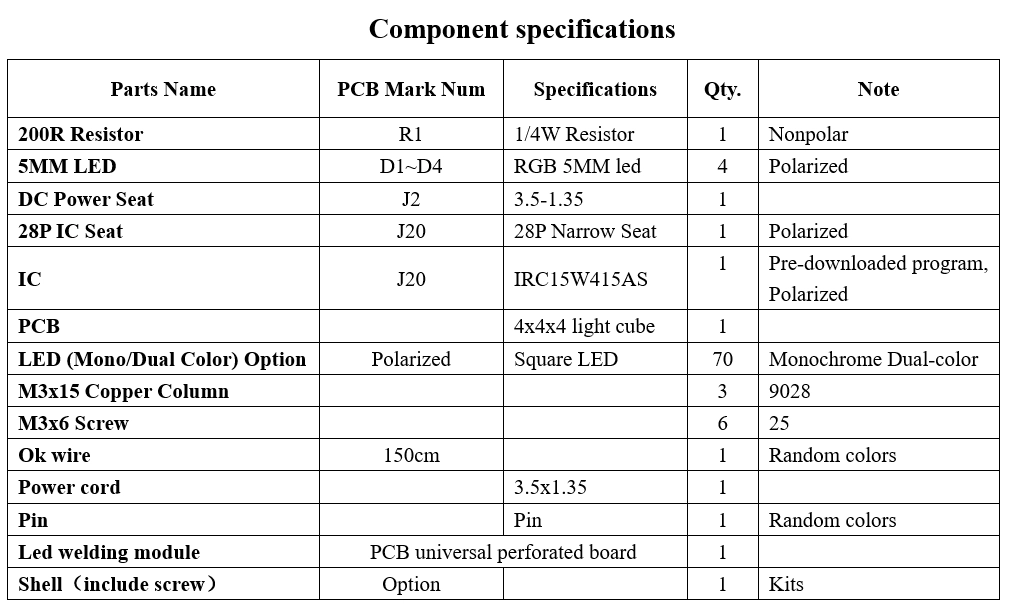
4X4X4 Light Cube Components List
I. Soldering the motherboard
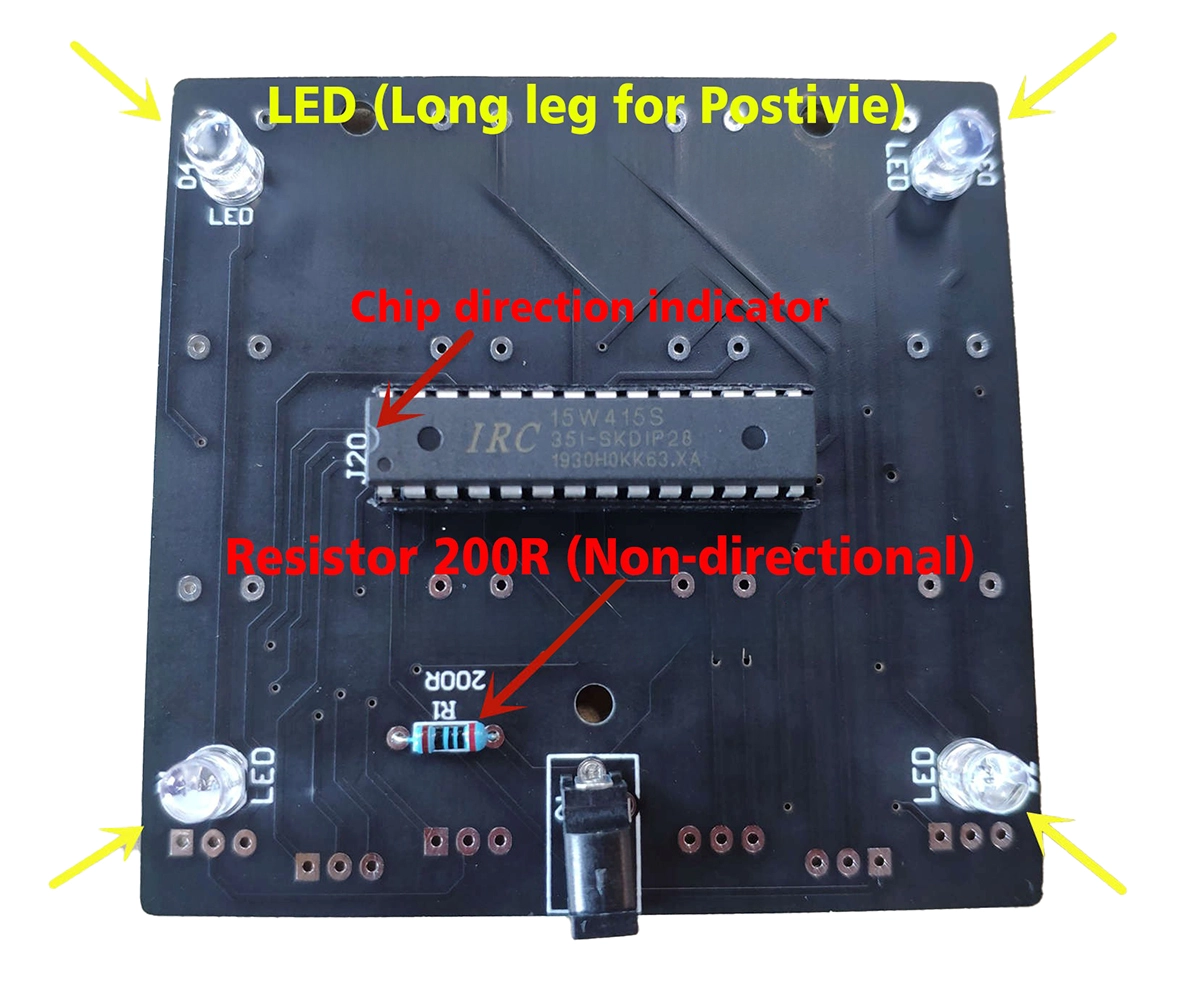
Solder the chip socket and power socket, paying attention to the direction of the notch on the chip socket.

Solder the resistor (non-directional) to the LED (long leg is +), and mount the chip on the base (note the direction of the notch).
II. Soldering for LED Section
1. Pre-Blend the LED
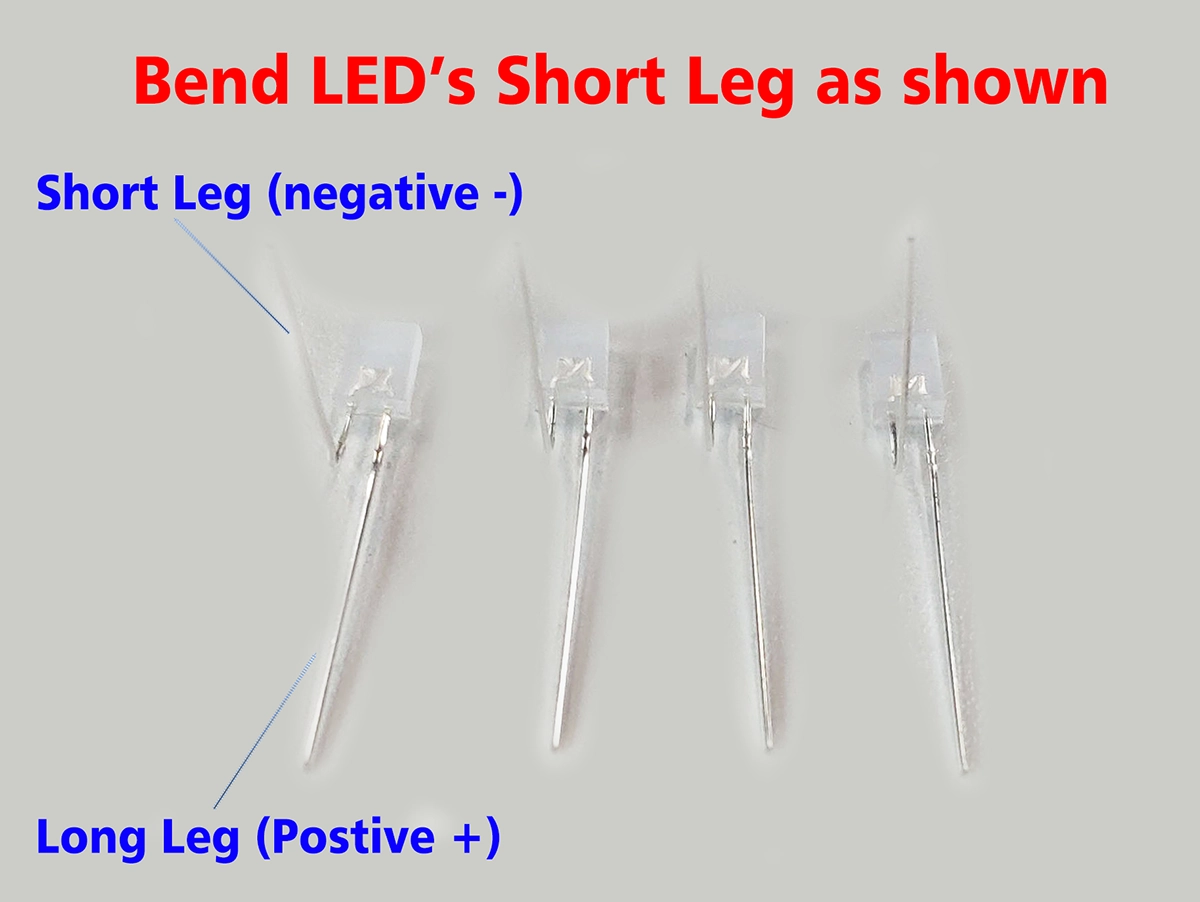
2. After shaping, weld a universal board to secure the LED, which makes it easier to weld the LED bracket. Using this method, the LED array will be neat and attractive: use a 7x9 universal board to weld 8 pin headers (cut from a row of pins), then clamp the shaped LED onto the pin headers, welding the positive terminal vertically and the negative terminal horizontally. Note the pin header spacing: 6 holes horizontally and 9 holes vertically.

(Maybe Universal PCB have different size ,but only have same arranged . )
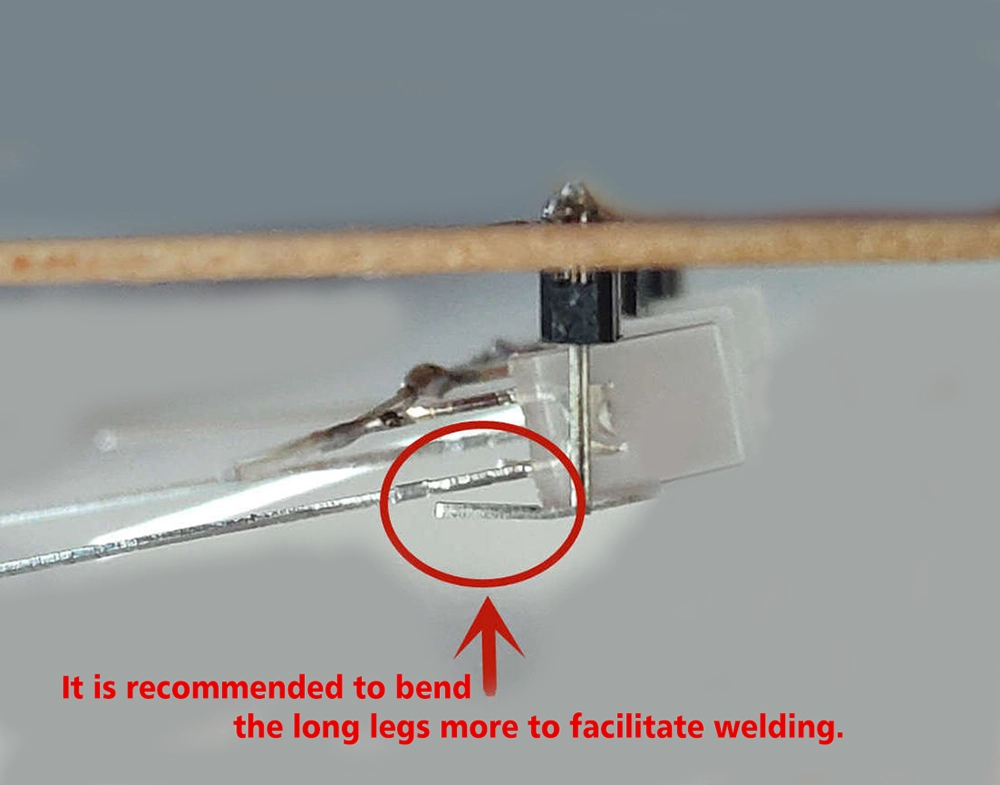
Note: LED welding involves welding the negative terminals together and the positive terminals together. The positive and negative terminals must not come into contact with each other.

Soldering 8 such LEDs using the same method. Continue to soldering the two sides of the welded LEDs together. Insert one side of the LED into the pin socket as shown in the figure below. Continue to place the other side of the LED on top and sodering the LED legs.

Using the same method, make four sets of these LEDs.
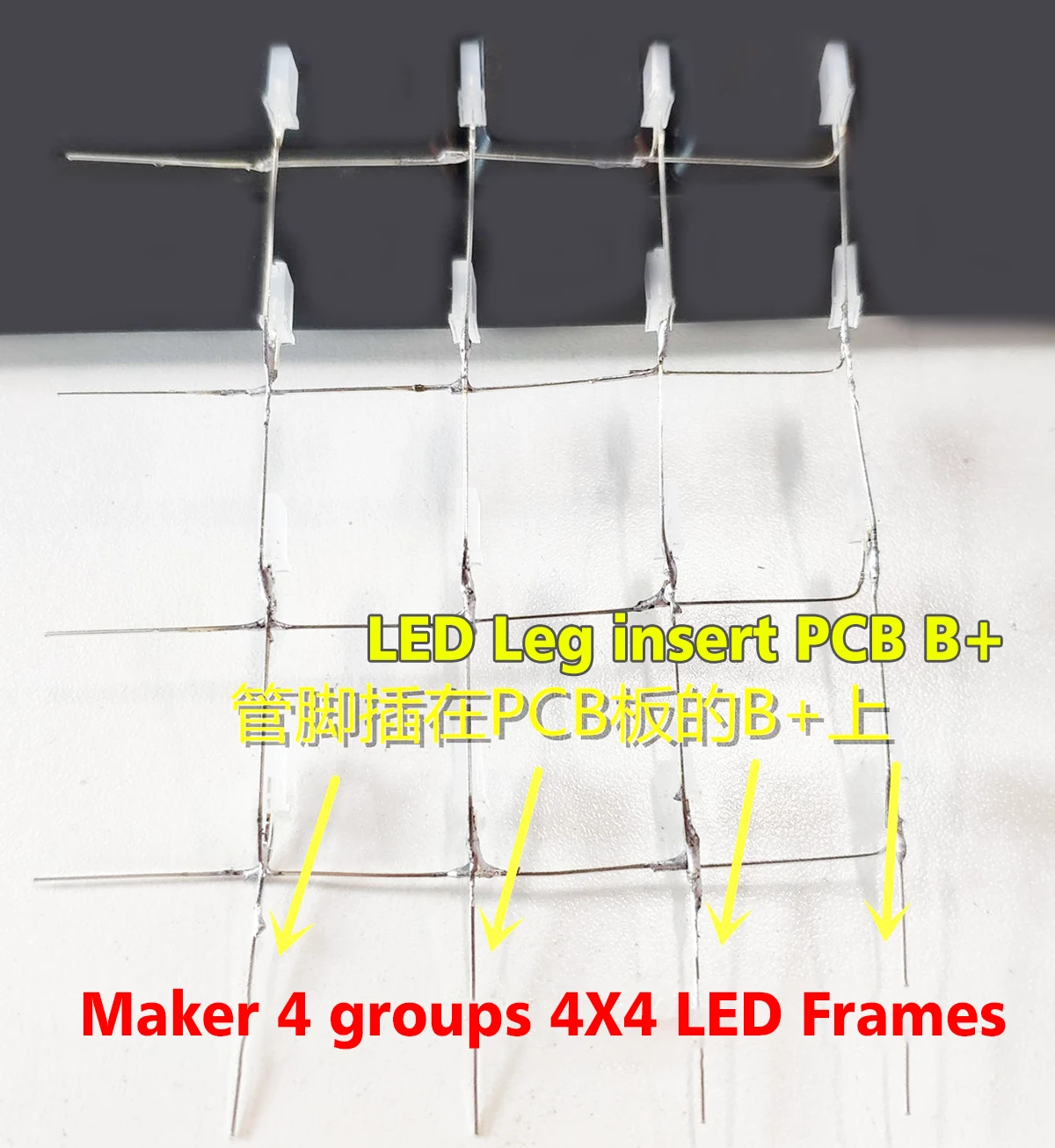
This way, you will have 16 LEDs, which is one group. Once all four sides or groups are complete, you can assemble a 4x4x4 light cube.
III. Light Cube Assembly
The light cube uses a common anode and common cathode connection method.
1. LED Group Connect
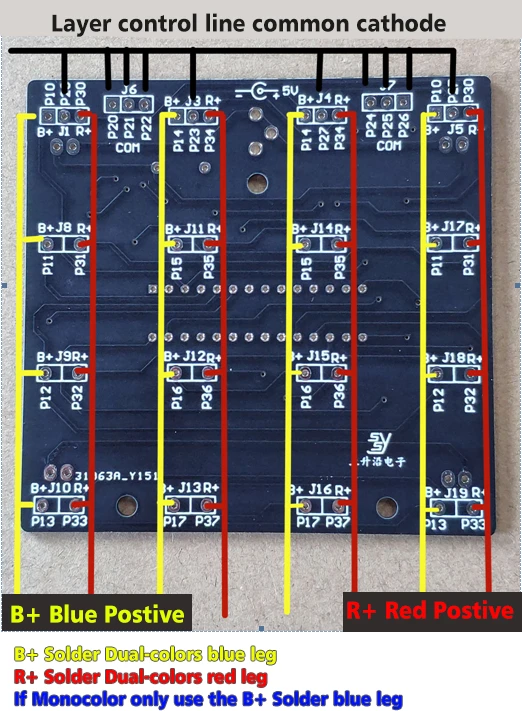
The wiring method for the group is shown in the figure. On the board, the solder pad labeled “B+” on the left side of each LED socket is connected to the positive terminal of the blue LED, and the solder pad labeled “R+” is connected to the positive terminal of the red LED (if it is a Mono-Color LED, the “R+”terminal is left open).
2. Layer connect
P20-P27 are layer control lines (control the negative pole of the LED, middle pin).
First, we divide the light cube into left and right sides, and connect the negative poles of every two columns of LEDs (middle pin of the LED) together to form first layer.
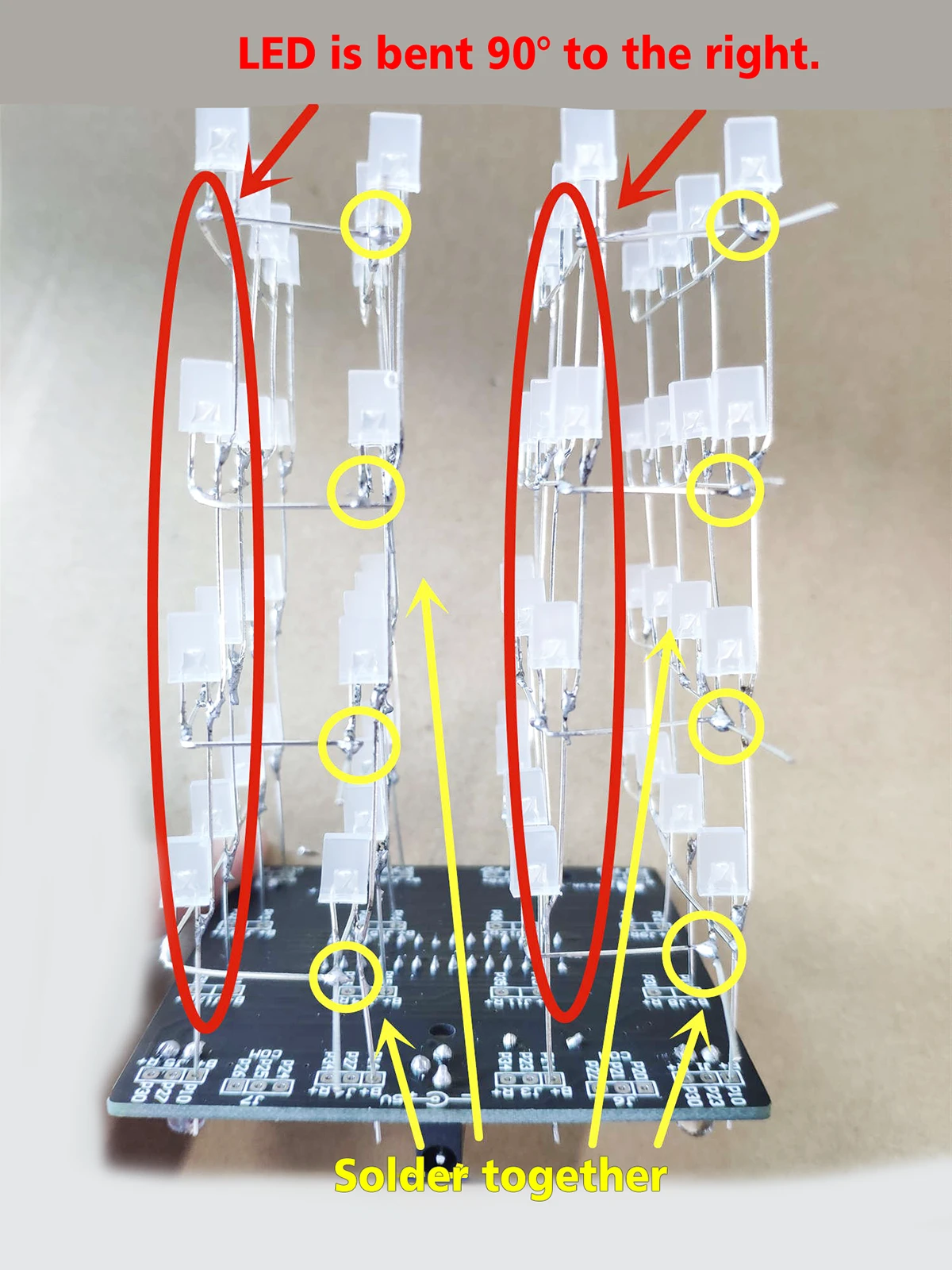
Cut off the excess leg .

Use OK wire to connect the negative terminals on each layer.

After soldering, the entire light cube is complete.
IV. Shell Assembly
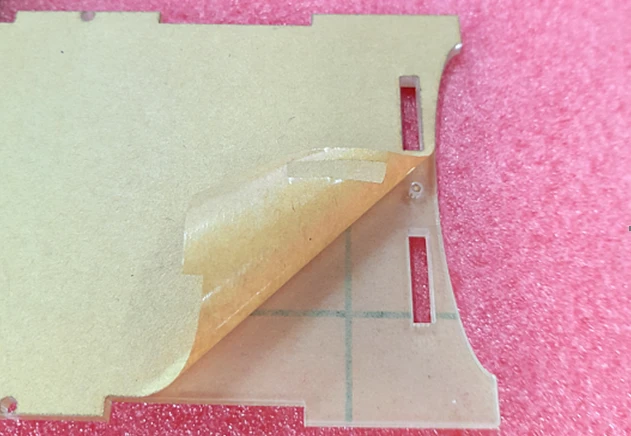
Remove the protective plastic film.
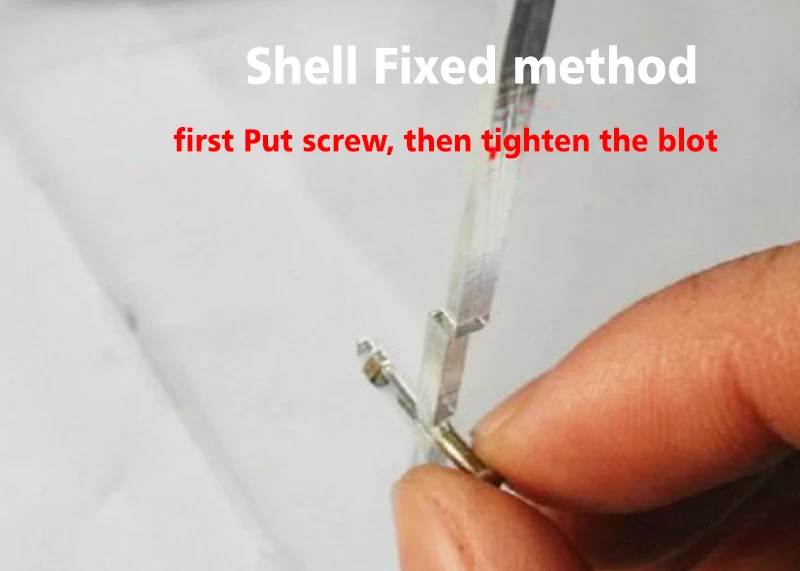
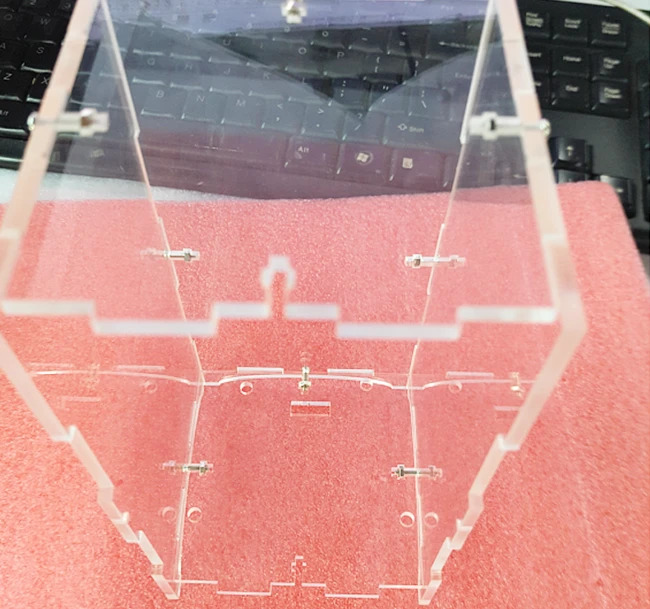
Bolt and screw fixed.
First assemble these five sides (note that the screw holes on the bottom shell must align with the light cube board).
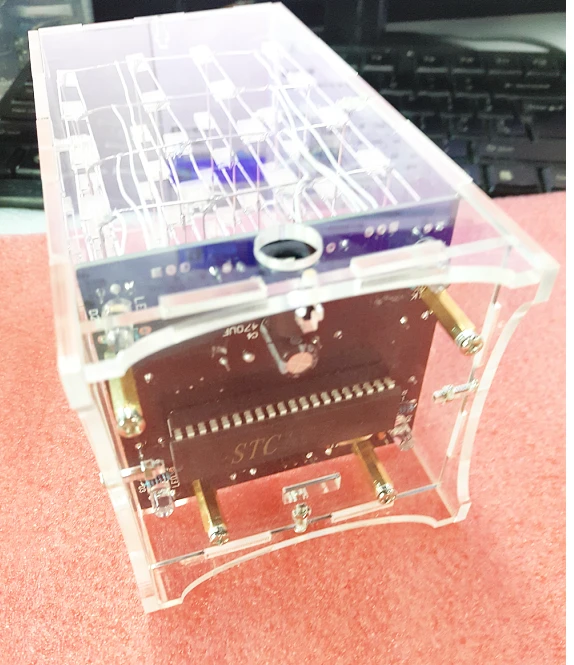
Assembly the pcb and light parts . All done.
Insert DC 5V 1A power check and enjoy the shining and blink time.
版权声明:本文为原创文章,版权归donstudio所有,欢迎分享本文,转载请保留出处!