
Arduino Project 049 - IR Remote Control
Project 49 IR Remote Control
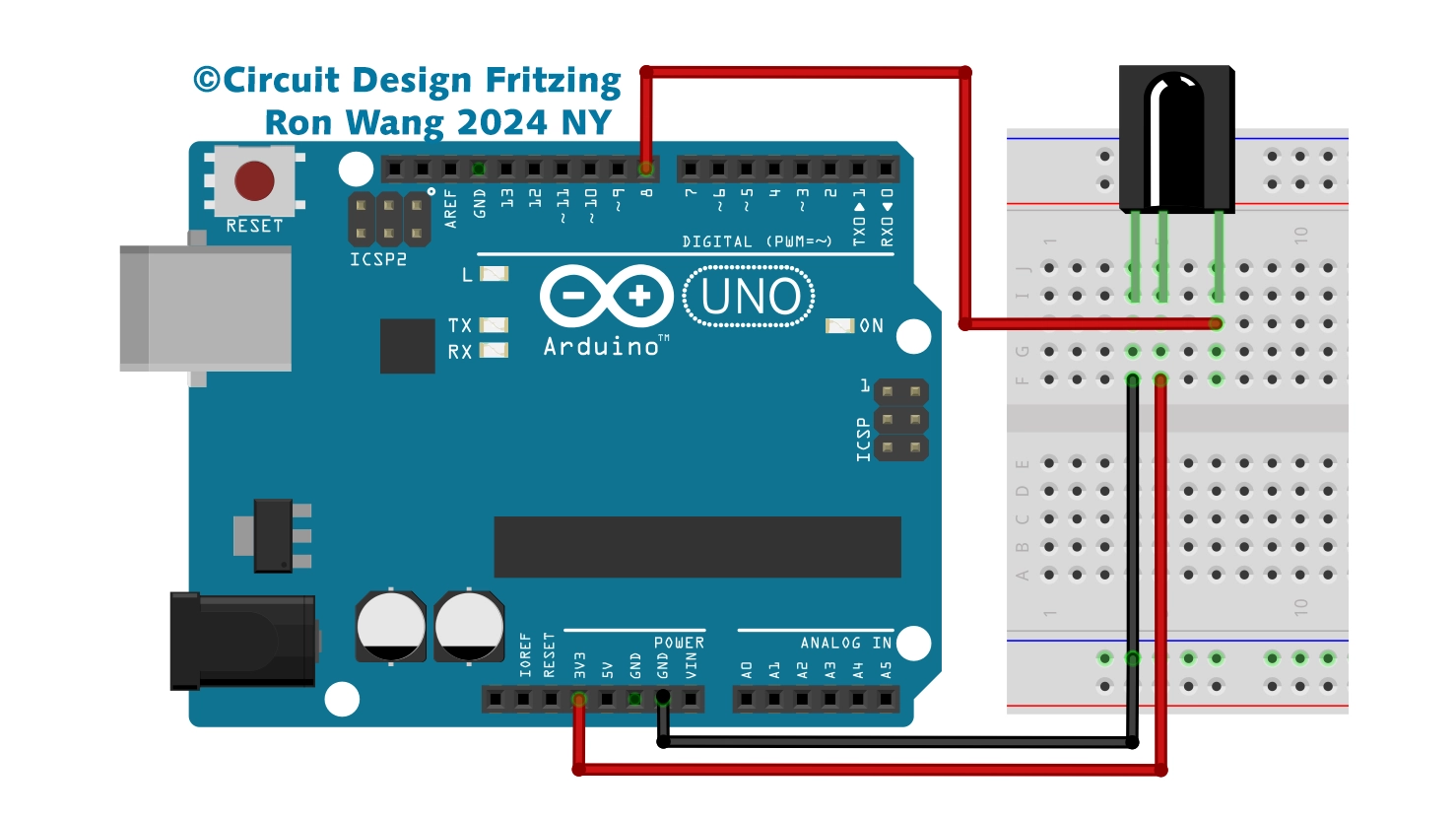
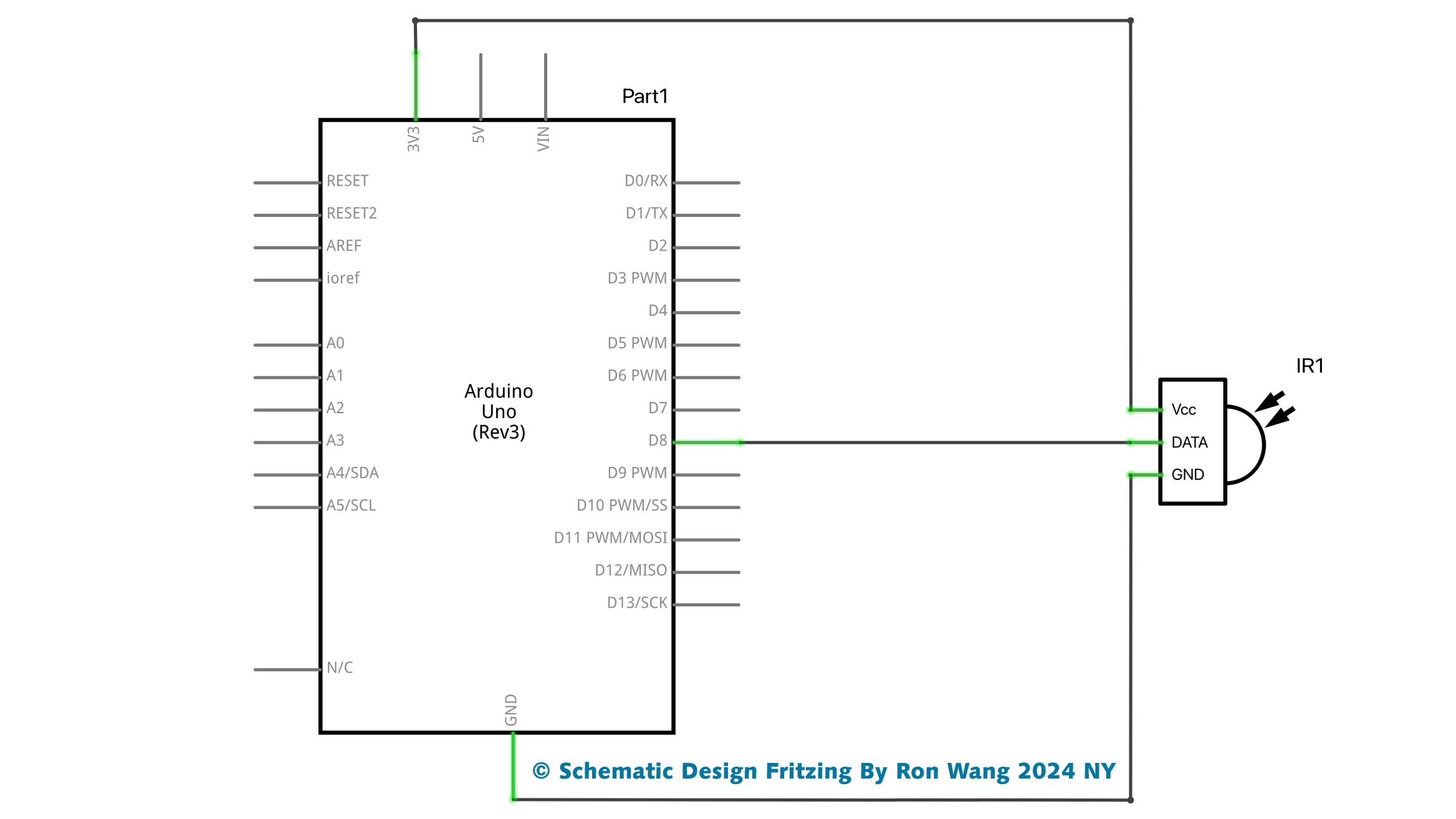
/* Project 49 IR Remote Control
 * Coding by Ronwang
 * This example code is in the public domain
 * Hardware Support by Autaba Website :https://www.autabaec.com
 */
#include <DIYables_IRcontroller.h> // Added DIYables_IRcontroller library
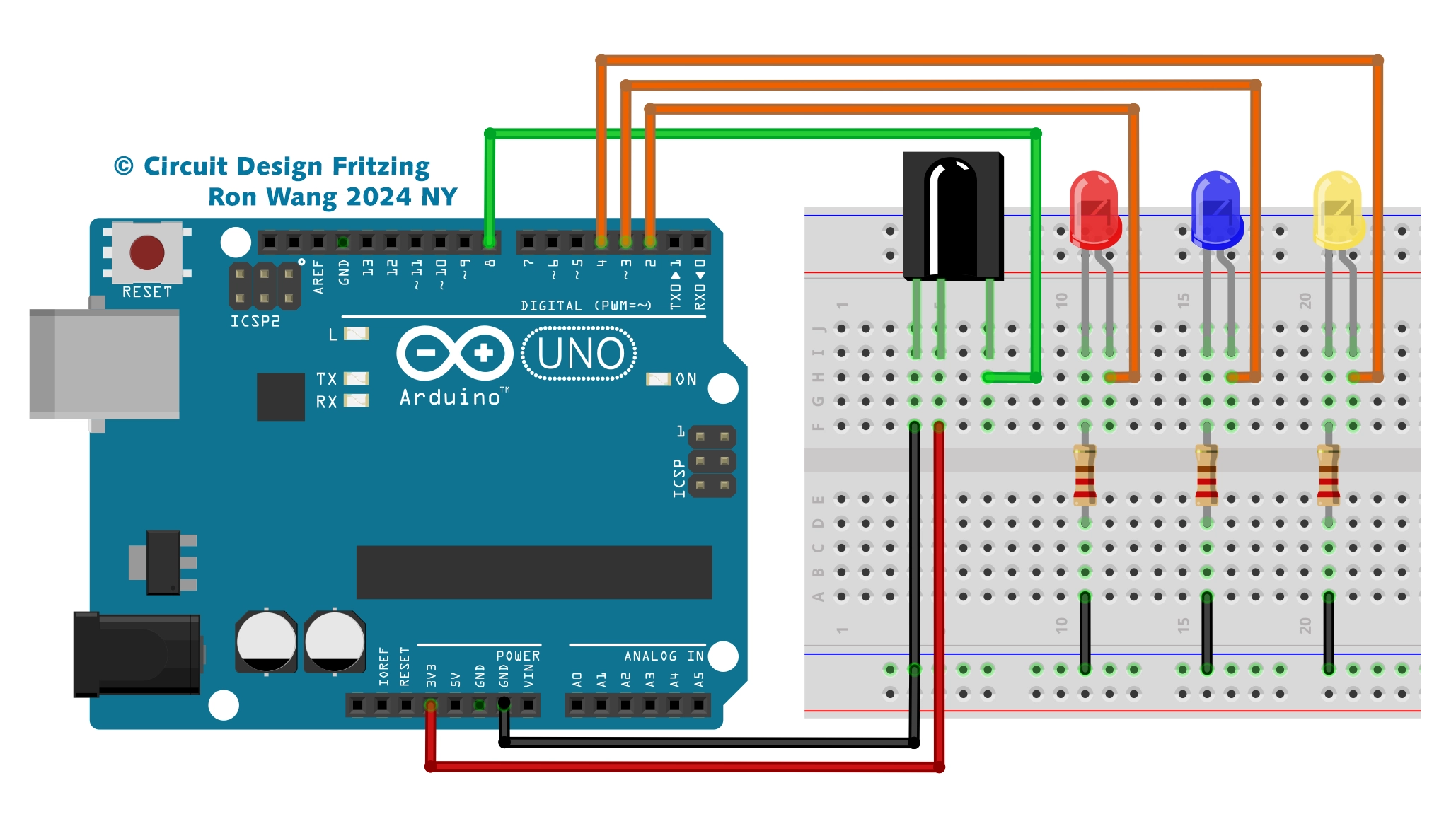
#define IR_RECEIVER_PIN 8 // The Arduino pin connected to IR controller
DIYables_IRcontroller_17 irController(IR_RECEIVER_PIN, 200); // debounce time is 200ms
void setup() {
  Serial.begin(9600);
  irController.begin();
}
void loop() {
  Key17 key = irController.getKey();
  if (key != Key17::NONE) {
    switch (key) {
      case Key17::KEY_1:
        Serial.println("1");
        // TODO: YOUR CONTROL
        break;
      case Key17::KEY_2:
        Serial.println("2");
        // TODO: YOUR CONTROL
        break;
      case Key17::KEY_3:
        Serial.println("3");
        // TODO: YOUR CONTROL
        break;
      case Key17::KEY_4:
        Serial.println("4");
        // TODO: YOUR CONTROL
        break;
      case Key17::KEY_5:
        Serial.println("5");
        // TODO: YOUR CONTROL
        break;
      case Key17::KEY_6:
        Serial.println("6");
        // TODO: YOUR CONTROL
        break;
      case Key17::KEY_7:
        Serial.println("7");
        // TODO: YOUR CONTROL
        break;
      case Key17::KEY_8:
        Serial.println("8");
        // TODO: YOUR CONTROL
        break;
      case Key17::KEY_9:
        Serial.println("9");
        // TODO: YOUR CONTROL
        break;
      case Key17::KEY_STAR:
        Serial.println("*");
        // TODO: YOUR CONTROL
        break;
      case Key17::KEY_0:
        Serial.println("0");
        // TODO: YOUR CONTROL
        break;
      case Key17::KEY_SHARP:
        Serial.println("#");
        // TODO: YOUR CONTROL
        break;
      case Key17::KEY_UP:
        Serial.println("UP");
        // TODO: YOUR CONTROL
        break;
      case Key17::KEY_DOWN:
        Serial.println("DOWN");
        // TODO: YOUR CONTROL
        break;
      case Key17::KEY_LEFT:
        Serial.println("LEFT");
        // TODO: YOUR CONTROL
        break;
      case Key17::KEY_RIGHT:
        Serial.println("RIGHT");
        // TODO: YOUR CONTROL
        break;
      case Key17::KEY_OK :
        Serial.println("OK");
        // TODO: YOUR CONTROL
        break;
      default:
        Serial.println("WARNING: undefined key:");
        break;
    }
  }
}版权声明:本文为原创文章,版权归donstudio所有,欢迎分享本文,转载请保留出处!