
Arduino Project 045 - RFID Servo and LED Control System
Arduino Programming Basic -- RFID Servo and LED Control System
Project 45 RFID Servo and LED Control System
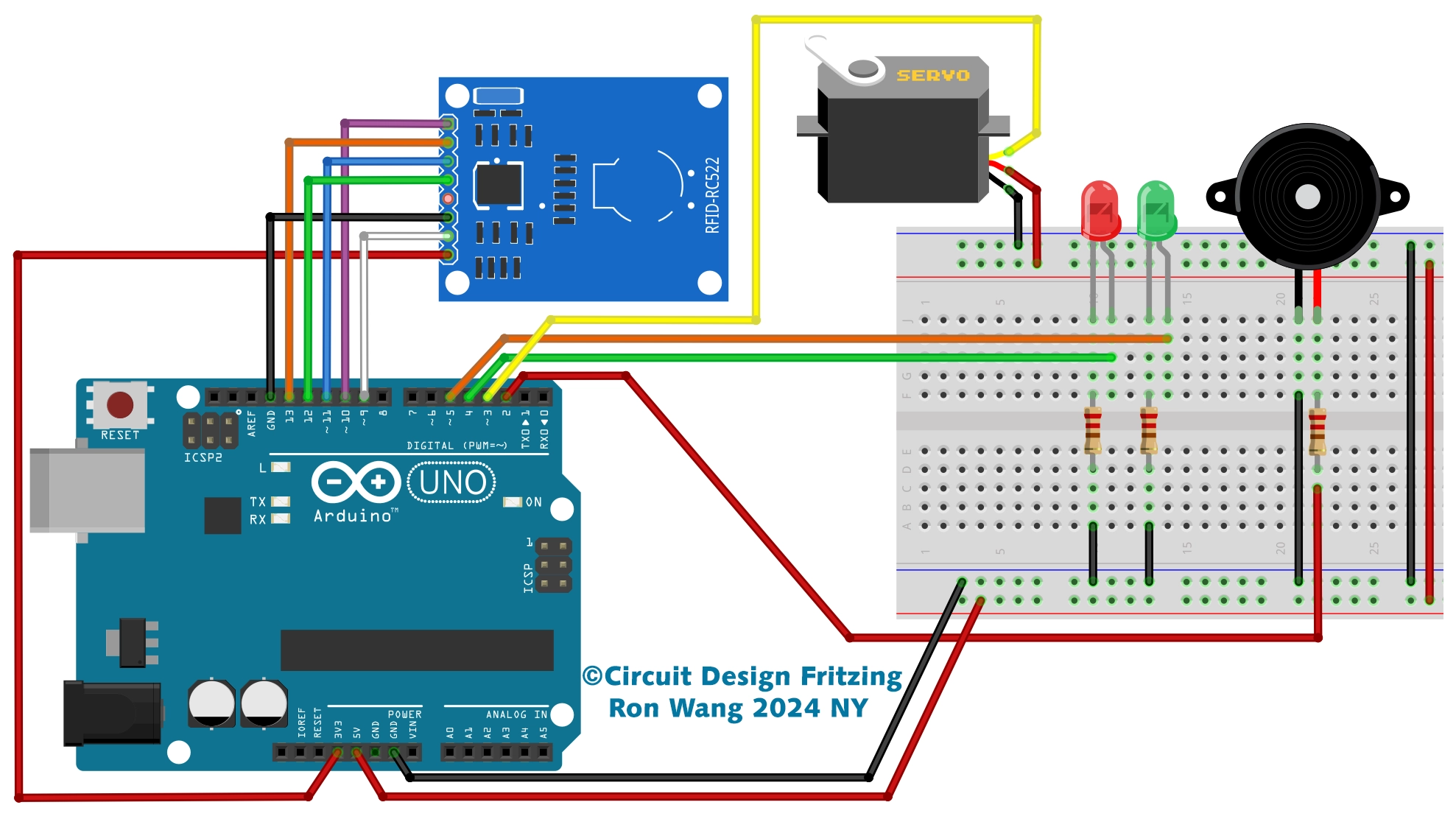
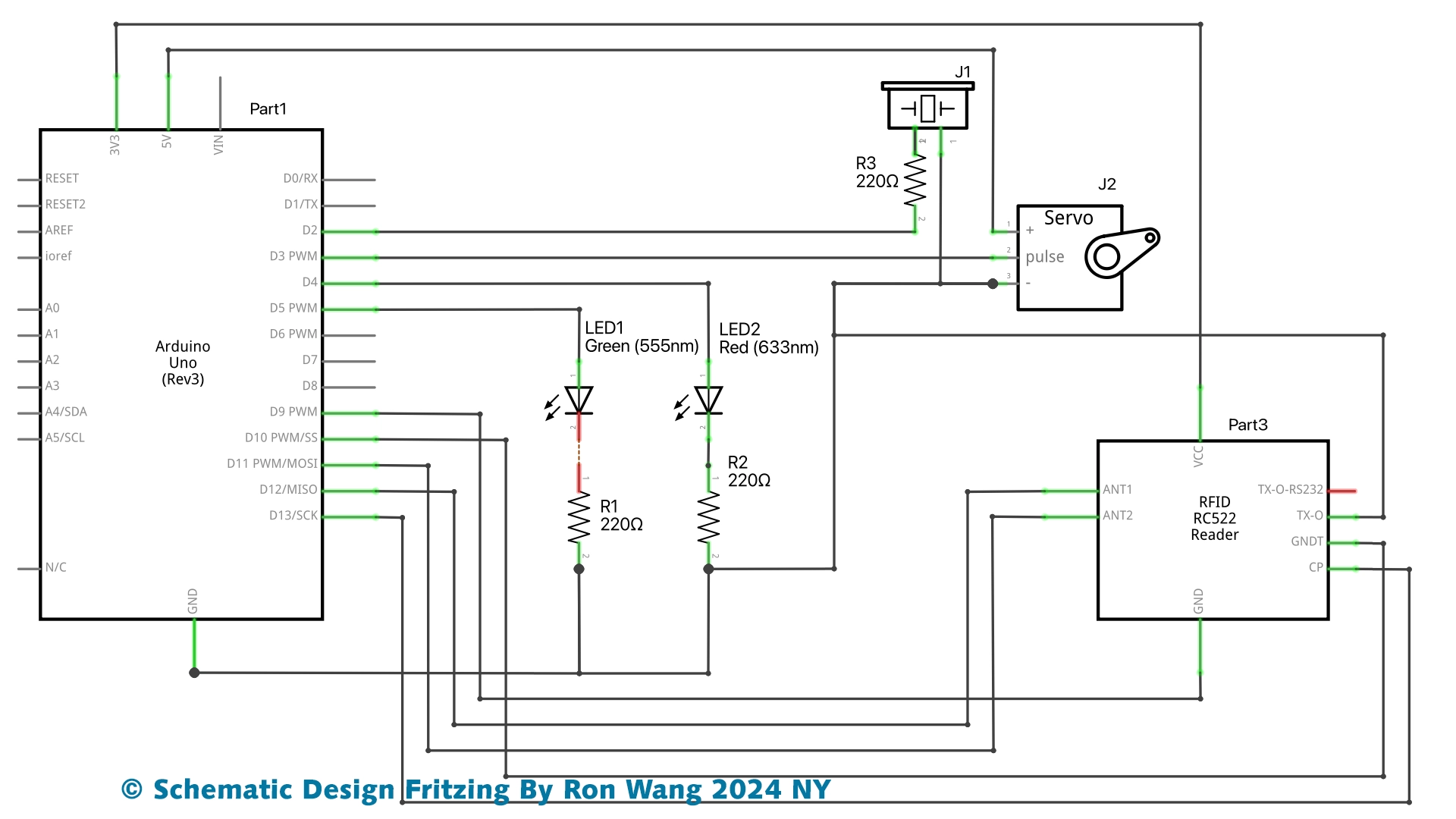
RFID Servo and LED indicator Control System
/* Project 45 RFID - Access Servo and Control / Gate LED indicator
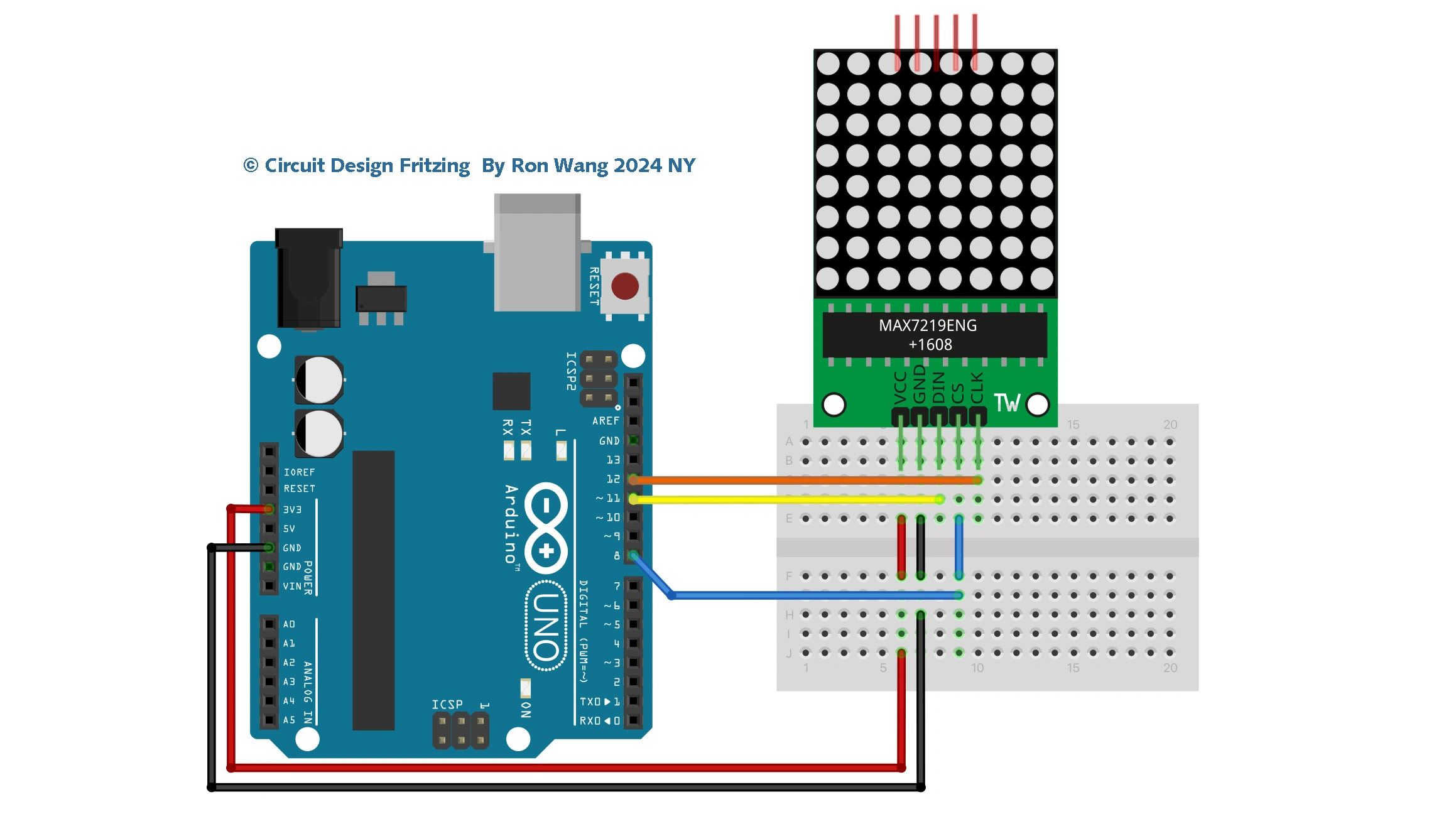
   Circuit Design  By Ron Wang 2024 NY
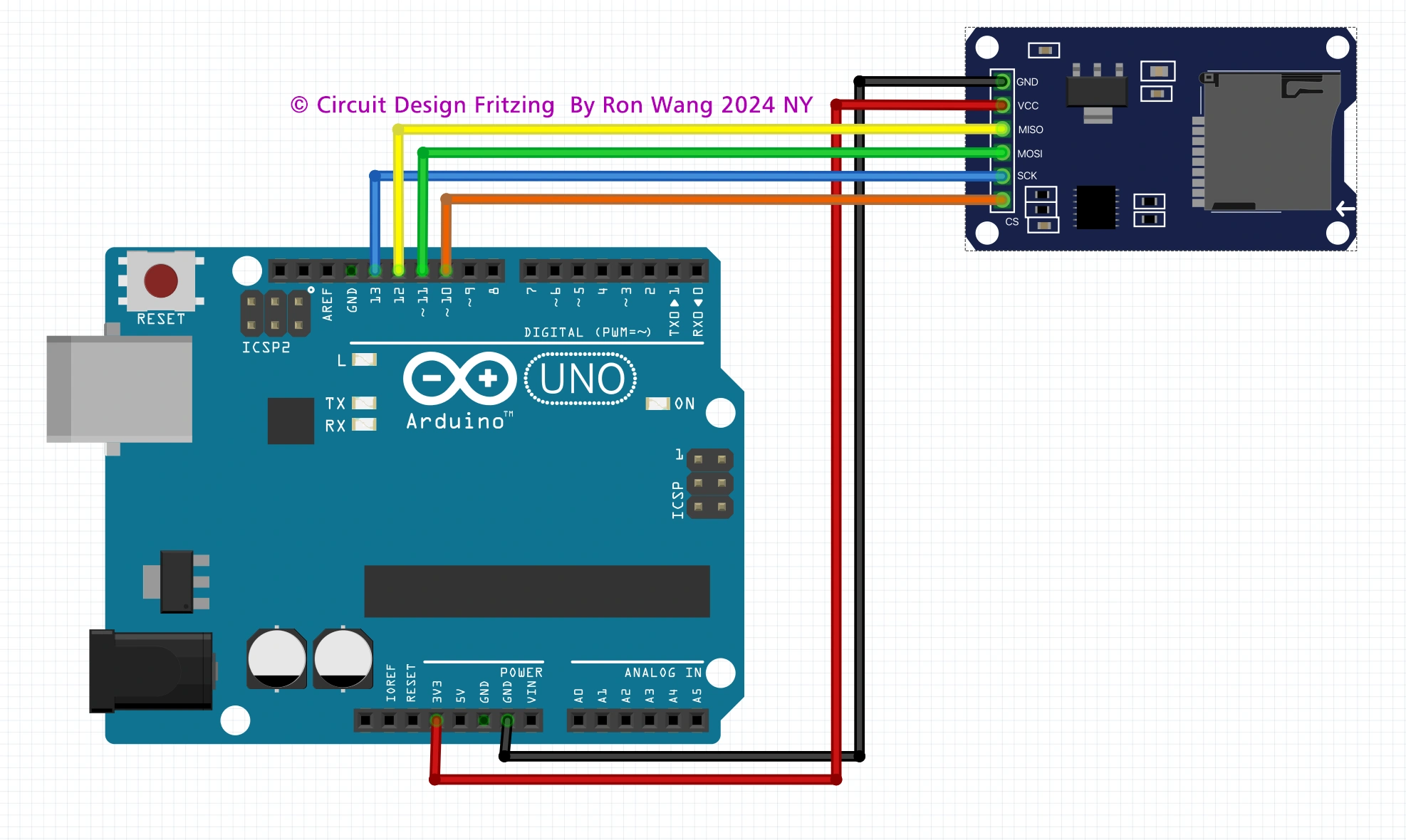
 Schematic Design By Ron Wang 2024 NY
*/
#include <SPI.h>
#include <MFRC522.h>
#include <Servo.h>
Servo microservo9g;
#define SS_PIN 10    // RC522 module pin definitions
#define RST_PIN 9

MFRC522 mfrc522(SS_PIN, RST_PIN);
int led_concedido = 5; // Leds indicating access granted or denied
int led_negado = 6;
char st[20];

void setup()
{
  pinMode(led_concedido, OUTPUT);
  pinMode(led_negado, OUTPUT);
  // Defines that the servo is connected to digital port 3
  microservo9g.attach(3);
  // Moves the servo to the start position (cancel closed)
  microservo9g.write(90);
 // Start the serial
  Serial.begin(9600);
  // Start SPI  Bus
  SPI.begin();
  // Start MFRC522
  mfrc522.PCD_Init();
 // Initial messages on the serial monitor
  Serial.println("Bring your card closer to the reader...");
  Serial.println();
}

void loop()
{
 // Wait for the card to approach
  if ( ! mfrc522.PICC_IsNewCardPresent())
  {
    return;
  }
 // Select one of the cards
  if ( ! mfrc522.PICC_ReadCardSerial())
  {
    return;
  }
 // Show UID on serial
  Serial.print("UID da tag :");
  String conteudo= "";
  byte letra;
  for (byte i = 0; i < mfrc522.uid.size; i++)
  {
     Serial.print(mfrc522.uid.uidByte[i] < 0x10 ? " 0" : " ");
     Serial.print(mfrc522.uid.uidByte[i], HEX);
     conteudo.concat(String(mfrc522.uid.uidByte[i] < 0x10 ? " 0" : " "));
     conteudo.concat(String(mfrc522.uid.uidByte[i], HEX));
  }
  Serial.println();
  Serial.print("Mensagem : ");
  conteudo.toUpperCase();

  // Test if card2 has been read,you can modification the Value your RFID tag value
  if (conteudo.substring(1) == "C1 41 38 1D")
  {
    // Raises the gate and lights the green LED
    microservo9g.write(-90);
    digitalWrite(led_concedido, HIGH);
    Serial.println("Card1 - Access granted!");
    Serial.println();
    delay(3000);
    microservo9g.write(90);
    digitalWrite(led_concedido, LOW);
    }

 // Test if card2 has been read
  if (conteudo.substring(1) == "C1 41 38 1D")
  {
    Serial.println(";Card2 - Access granted!!!");
    Serial.println();
    // Flashes the red LED
    for (int i= 1; i<5 ; i++)
    {
      digitalWrite(led_negado, HIGH);
      delay(200);
      digitalWrite(led_negado, LOW);
      delay(200);
    }
  }
  delay(1000);
}
版权声明:本文为原创文章,版权归donstudio所有,欢迎分享本文,转载请保留出处!