
Centos Install OSCommerce 4.0
osCommerce is a Free shopping cart and open source Ecommerce software. You can choose to host your osCommerce website with osCommerce.com.

Pre-installation
Upload and extract the osc_install.zip file on your hosting account.
Create database and user for your osCommerce 4.0 application.
Web Installation
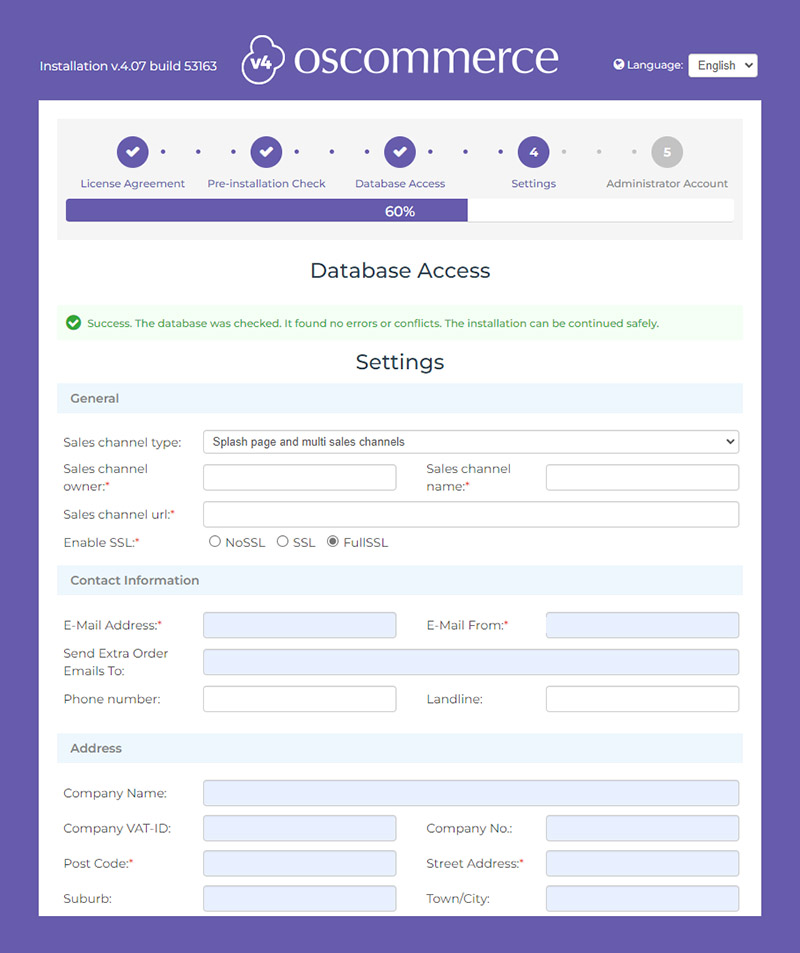
To start with the online installation, please open your website in a new browser.
You will be directed to the installation part of the osCommerce 4.0 application.
Now you need to press on the button [Next].
Server Requirements
Note: This manual is for osCommerce v4.
| Name | Recommended | Required |
| PHP version | 7.2.0 | 7.0.0+ |
| MySQL database | Yes | Yes |
| zLib PHP module | Yes | Yes |
| PHP memory limit | 256M | 128M |
| cURL PHP module | Yes | Yes |
| fopen PHP function | Yes | Yes |
| hash PHP function | Yes | Yes |
| XML PHP module | Yes | Yes |
| spl_autoload_register PHP function | Yes | Yes |
| JSON PHP module | Yes | Yes |
| GD Image module | Yes | Yes |
| Pathinfo-Support | Yes | Yes |
Step by Step Install
1. Create Database in MySQL or MariaDB.
mysql -u root -p
Create database ceshop ;
2. Download OSCommerce 4.0
sudo wget https://www.oscommerce.com/download-file
3. Change the file name from download-file to osc_4_07_53163.zip
4. Unzip the file
sudo Yum osc_4_07_53163.zip
5. Change directory attribute
chmod 777 -R ./osc4/html/
版权声明:本文为原创文章,版权归donstudio所有,欢迎分享本文,转载请保留出处!